Home
Fleet Solutions FleetOps — Platform OverviewFleetMaster — Command & ControlFleetPilot — Driver AppTracker — Telematics Hardware
ASSIST Automation ASSIST — Operational Automation How ASSIST Works
Intelligence Platform Intelligence Platform — OverviewDecision Intelligence LayerRouting IntelligenceVehicle Intelligence ModuleITV Positioning Module
Services Custom IoT Development
Simulation & Testing Testing Studio — Scenario Automation Preview
Browse All Products & Pricing →
Solutions Public Safety & Emergency Services Logistics & Distribution Passenger Transportation Delivery & Service Fleets Municipal & Public Works
Pricing How Licensing Works Soon Pricing Calculator Soon
Support Support Center Ask a Question Documentation Give Suggestions Report a Bug
Learn About TrikTraks Insights Architecture Security & Trust
Login
HOW ASSIST WORKS

From operational event
to coordinated action.

ASSIST turns an event into a governed operational response.

It gathers context, applies policies, decides what should happen, coordinates the right people and systems, tracks execution, and records the outcome.

Event Something happens
Context Understand the situation
Policy Apply rules & approvals
Decision Determine what happens next
Action Coordinate systems & people
Evidence Record the outcome

The execution model

Every ASSIST workflow follows the same basic pattern. The details vary by operation, but the control model remains consistent.

1

An event starts the workflow

A system, device, user, schedule, API, or operational condition signals that something happened.

Example: fleet.vehicle.criticalFaultDetected

2

ASSIST gathers the required context

ASSIST retrieves the information the workflow needs before making a decision.

Vehicle state · assignment · driver · dispatch · maintenance status
3

Policies determine what is allowed or required

Business rules, security requirements, approvals, and operational constraints are evaluated.

Critical fault → vehicle must be removed from service
4

The workflow chooses the next path

ASSIST can continue automatically, request human approval, branch, wait, retry, escalate, or stop.

Replacement needed? Approval required? Assignment impacted?
5

Actions are coordinated across systems

ASSIST executes the required actions in the right order and sends work to the right participants.

Update FleetOps · notify dispatch · create maintenance action
6

The complete execution is recorded

ASSIST records what happened, what decisions were made, which policies were applied, and what actions completed.

Full execution timeline and audit evidence
WALK THROUGH AN EXAMPLE

Vehicle critical fault detected

One real scenario, start to finish — the event, the context ASSIST gathers, the policy it applies, how it coordinates FleetOps, dispatch and maintenance, when a human gets pulled in, and what gets recorded.

1

Something happens

A vehicle reports a critical fault.

What ASSIST receives:

  • Vehicle ID
  • Fault severity
  • Current availability
  • Active assignment
  • Driver
  • Location
  • Maintenance status
!
Critical vehicle fault detected Vehicle 128 · Active dispatch · Severity: Critical
2

ASSIST understands the operational context

ASSIST does not blindly react to an event. It asks:

  • Is the vehicle currently in service?
  • Is it assigned to an active dispatch?
  • Is a driver currently using it?
  • Does policy require immediate removal?
  • Is a replacement vehicle available?
Vehicle128
StatusIn Service
DispatchD-1048 Active
DriverAssigned
SeverityCritical
3

Policy determines what must happen

The critical-fault policy requires the vehicle to be removed from service.

Policy: Critical Vehicle Safety
  • Vehicle must be marked unavailable
  • Dispatch must be notified
  • Driver must be informed
  • Maintenance response must begin
  • Replacement must be evaluated
  • Manager approval only if required by policy
4

ASSIST coordinates the response

ASSIST is not the thing that detected the fault — it's the thing coordinating what happens because of it.

ASSIST
FleetOps
Mark vehicle unavailable
Dispatch
Identify impacted assignment
Maintenance
Open response
Driver notified
Replacement evaluated

ASSIST is not the thing detecting the fault. It is the thing coordinating what happens because of the fault.

5

Human involvement only when needed

Does this require approval?

No

Continue automatically.

Yes

Pause → request manager approval → continue when approved.

6

ASSIST follows through

Execution progress:

  • Fault evaluated
  • Vehicle unavailable
  • Dispatch notified
  • Driver notified
  • Maintenance response created
  • Replacement vehicle identified
  • Assignment updated
  • Workflow completed
7

Everything is recorded

ASSIST keeps one record of the entire response.

TriggerCritical vehicle fault
Policy appliedCritical Vehicle Safety v3
Actions executed7
Systems involvedFleetOps, Dispatch, Maintenance, Messaging
Human approvalsNone required
OutcomeVehicle safely removed and assignment recovered
View execution details →
Without ASSIST, each of these steps depends on separate application logic, integrations, procedures, or people remembering what to do. With ASSIST, they become one governed operational response.

Automation does not mean losing control

ASSIST separates what can happen automatically from what should require policy checks, approvals, or human judgment.

Automatic when safe

Routine, policy-approved actions can execute without waiting for a person.

Approval when required

ASSIST pauses the workflow and routes the decision to the right role or person.

Escalation when something changes

Timeouts, failures, missing data, or operational exceptions can trigger alternate paths.

Auditable from start to finish

Every significant event, policy evaluation, decision, and action remains traceable.

HUMAN + SYSTEM COORDINATION

The workflow can move between automation and people

ASSIST is not limited to system-to-system automation. A workflow can execute actions automatically, pause for input, assign work, wait for an external event, then continue from the same execution.

Automatic system actions
Human approvals and decisions
Waiting for external events
Timeouts and escalation paths
Retry and failure handling
System event
ASSIST
Automatic action
Policy check
Manager approval
Continue workflow
Update system
Notify people
Record outcome
INSIDE ASSIST

The same workflow across its full lifecycle

Design it, activate it, observe it, and inspect every execution from the same governed platform.
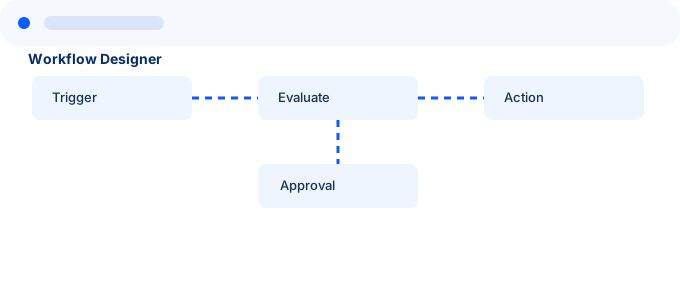
Workflow Designer interface preview
1. DesignDefine triggers, decisions, approvals, actions, and policies.
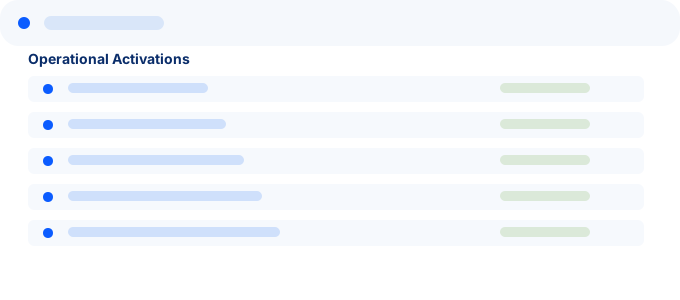
Operational Activations interface preview
2. ActivatePublish approved workflow versions into operational use.
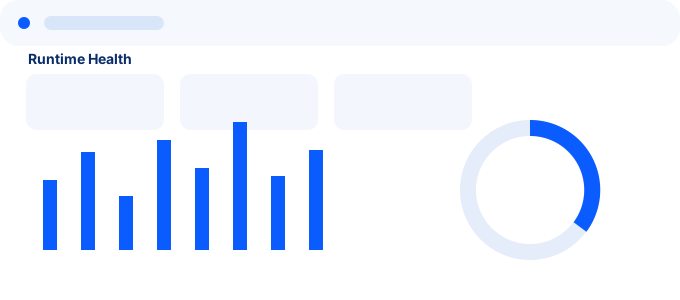
Runtime Health interface preview
3. ObserveMonitor workflow health, integrations, failures, and operational state.
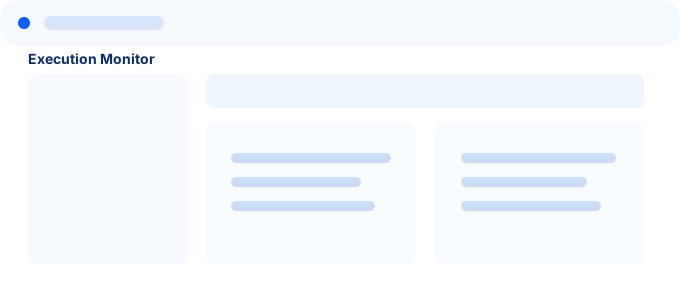
Execution Monitor interface preview
4. InvestigateInspect the complete execution trail when you need to understand what happened.

ASSIST turns operational events into governed execution.

Explore the product overview, or talk with us about where orchestration fits into your operations.